ISP Watch
All-in-One NOC Dashboard
Monitor, back up, upgrade and troubleshoot every MikroTik router from one app. Live NOC dashboard, cloud backup, Upgrade Zone, network tools and security alerts, all in one place.
- Windows, macOS, Linux, Android and Web
- MikroTik RouterOS v6 and v7
- Backups to Google Drive or OneDrive
- Desktop app: credentials encrypted on your PC
Built to run a MikroTik network
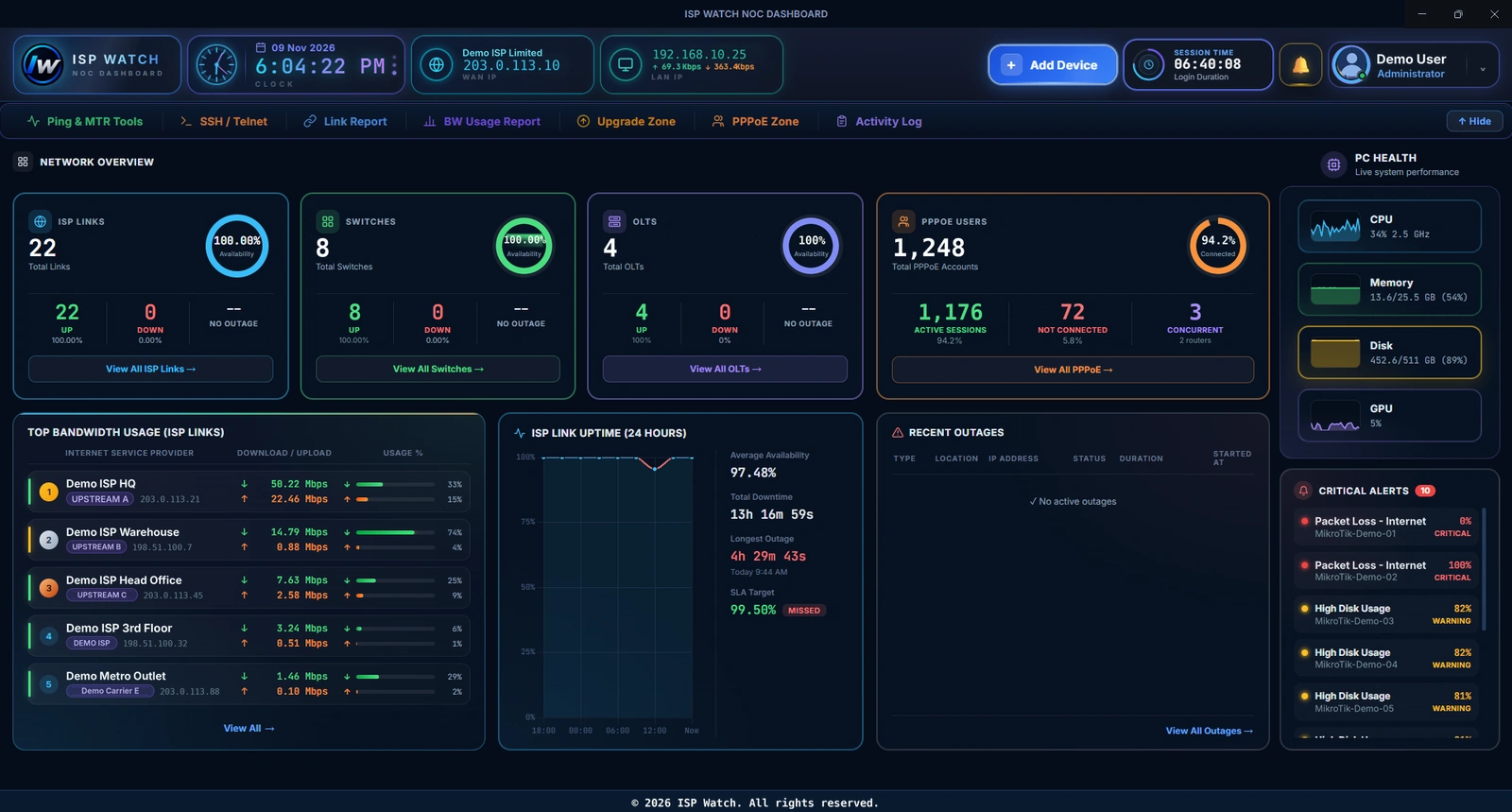
ISP Watch NOC Dashboard: monitor, back up, upgrade and troubleshoot every router from one app.
Keep every router up to date from one page.
Learn MoreTest every link with Ping, MTR and Traceroute.
Learn MoreAutomatic router backups to Google Drive or OneDrive.
Learn MoreYour whole network at a glance.
Learn MoreGet warned about unauthorized logins.
Learn MoreControl who can do what, and see what happened.
Learn MoreEverything in one app
Monitoring
Live status of every router and ISP link.
- Router & link monitoring
- Top bandwidth usage
- Down Links
- Health alerts
- PPPoE users
- Switch dashboard
Reports
Know what happened on your network.
- Link report
- Bandwidth usage report
- Activity log
Maintenance & automation
Less manual work, fewer mistakes.
- Upgrade Zone
- Cloud backup
- Reboot control
- Terminal
Network tools
Find problems faster.
- Ping, MTR and Traceroute
- Readable results
- Source address
Security & administration
Stay in control of your network.
- Unauthorized login alerts
- Email notifications
- Role-based access
- Audit log
- Licensing
Every platform
Windows, macOS, Linux, Android (APK) and Web.
- In the desktop app, router credentials and settings are stored encrypted on your own PC.
Up and running in three steps
Add your routers
Connect your MikroTik routers and see every router and ISP link live.
Back up and upgrade
Schedule cloud backups and keep every router up to date.
Stay secure
Get login alerts and stay in control with roles and an audit log.
One app, every network team
ISP owners
Link status, PPPoE users and bandwidth reports in one place.
NOC teams
A live dashboard and active alerts for a faster response.
Network engineers
Upgrade, back up and test routers without switching tools.
Corporate IT teams
Keep MikroTik routers and links under control, with roles and an audit log.
Why Choose ISP Watch?
Built for ISPs running MikroTik.- Built for ISPs running MikroTik
- Available on Windows, macOS, Linux, Android and Web
- Encrypted credentials in the desktop app
- Cloud backup built in
- Role-based access and audit log

Simplify. Accelerate. Perform.
Coming Soon
More apps from ISP Watch are on the way, each as a separate cloud-based app.
Ready to run your MikroTik network from one app?
Request a demo and see ISP Watch in action.